spam blockers anti spam
← Back to all software
$2.99 · 7-Day Free Trial macOS Windows Linux

Cabinetry Files.

A fast, beautiful, deeply themable file browser for Mac, Windows, and Linux. Fly through folders of 10,000+ files without a stutter — and make every window look exactly the way you want, from modern glass to era-authentic classics.

$2.99 · 7-day free trial, no account needed · macOS, Windows & Linux · Try every theme before you buy.

Built for speed, designed to be lived in.

Columns, list, grid, and gallery views; a smart sidebar with favorites, locations, and tags; a rich preview pane; and instant, fluid scrolling even through thousands of PDFs, images, and video files.
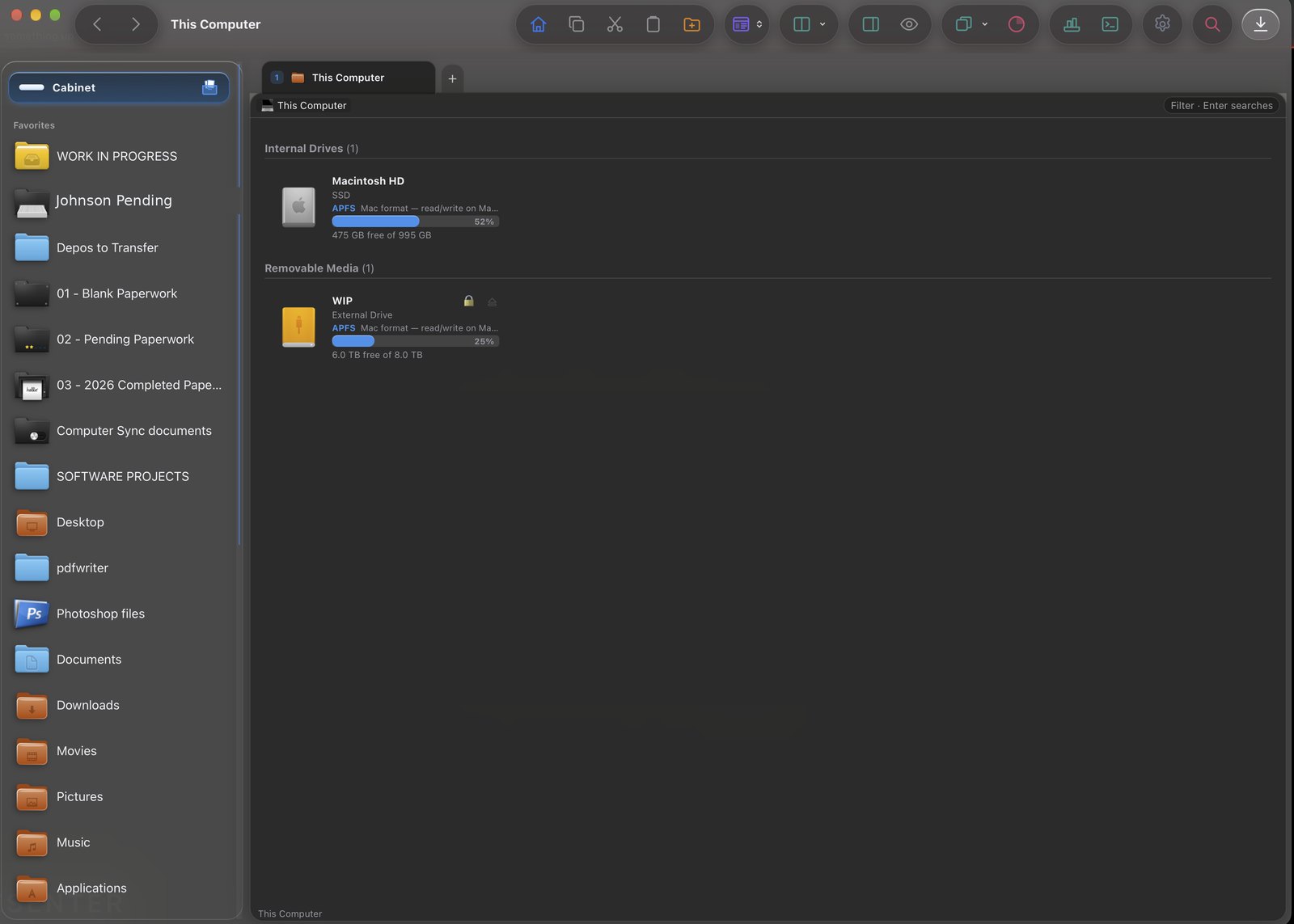
Cabinetry Files on macOS — sidebar with pinned folders, This Computer view with drives, in a dark theme

Cabinetry Files on macOS — your cabinet of pinned folders on the left, drives and files on the right.
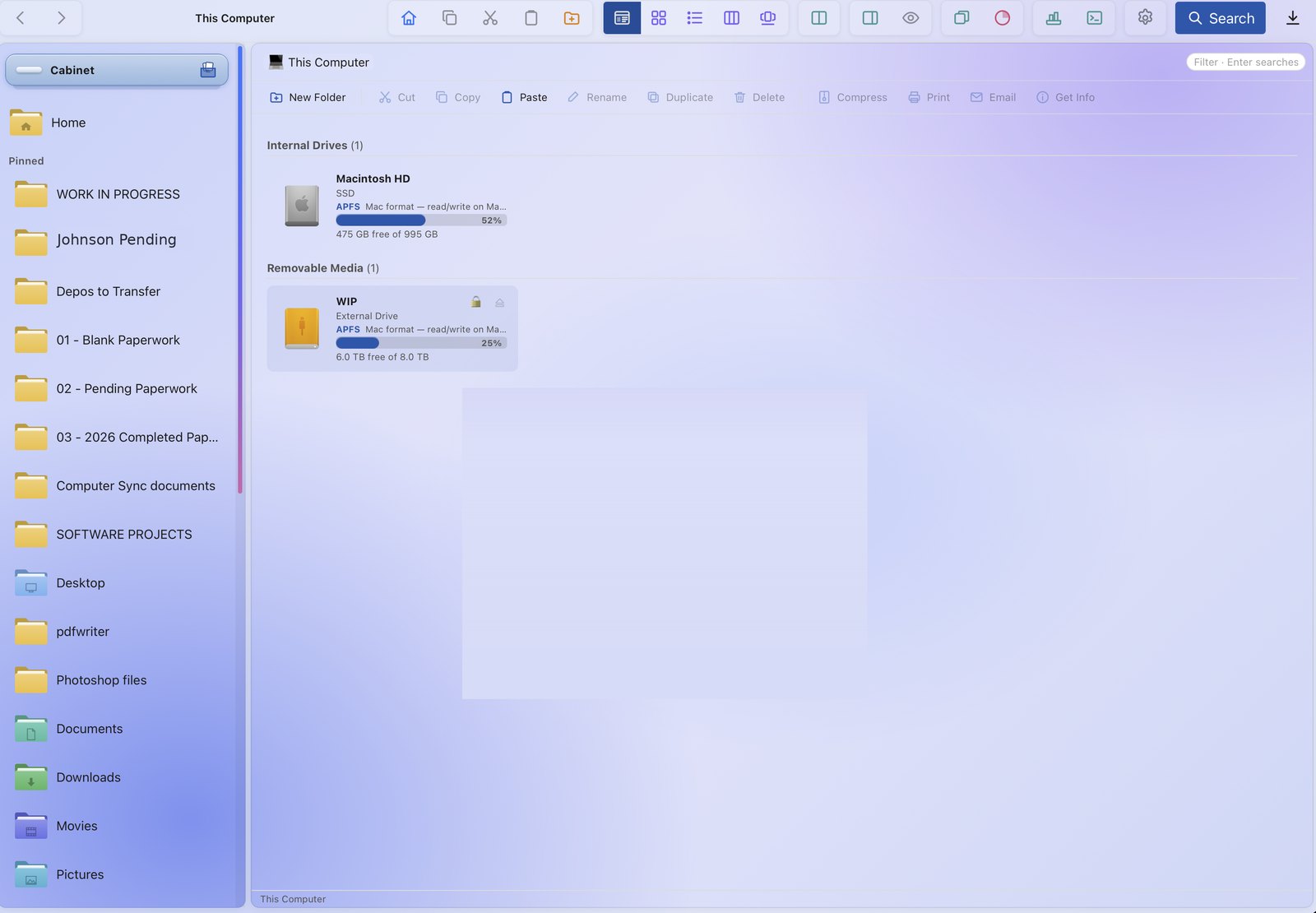
Cabinetry Files in a light theme — the same window with a toolbar of actions and a lavender glass look

The same window in a light glass theme — toolbar actions across the top, your pinned cabinet on the left.
Your files, like a well-built filing cabinet.

Think of every case, matter, or project as its own drawer — and every folder a labelled file inside it. Cabinetry Files is built around that idea: colour-code the drawers, badge them, tag what matters, and find any document in a second. It's the difference between digging through a junk drawer and reaching straight into a cabinet where everything has its place.

Colour, stamp, and track every folder.

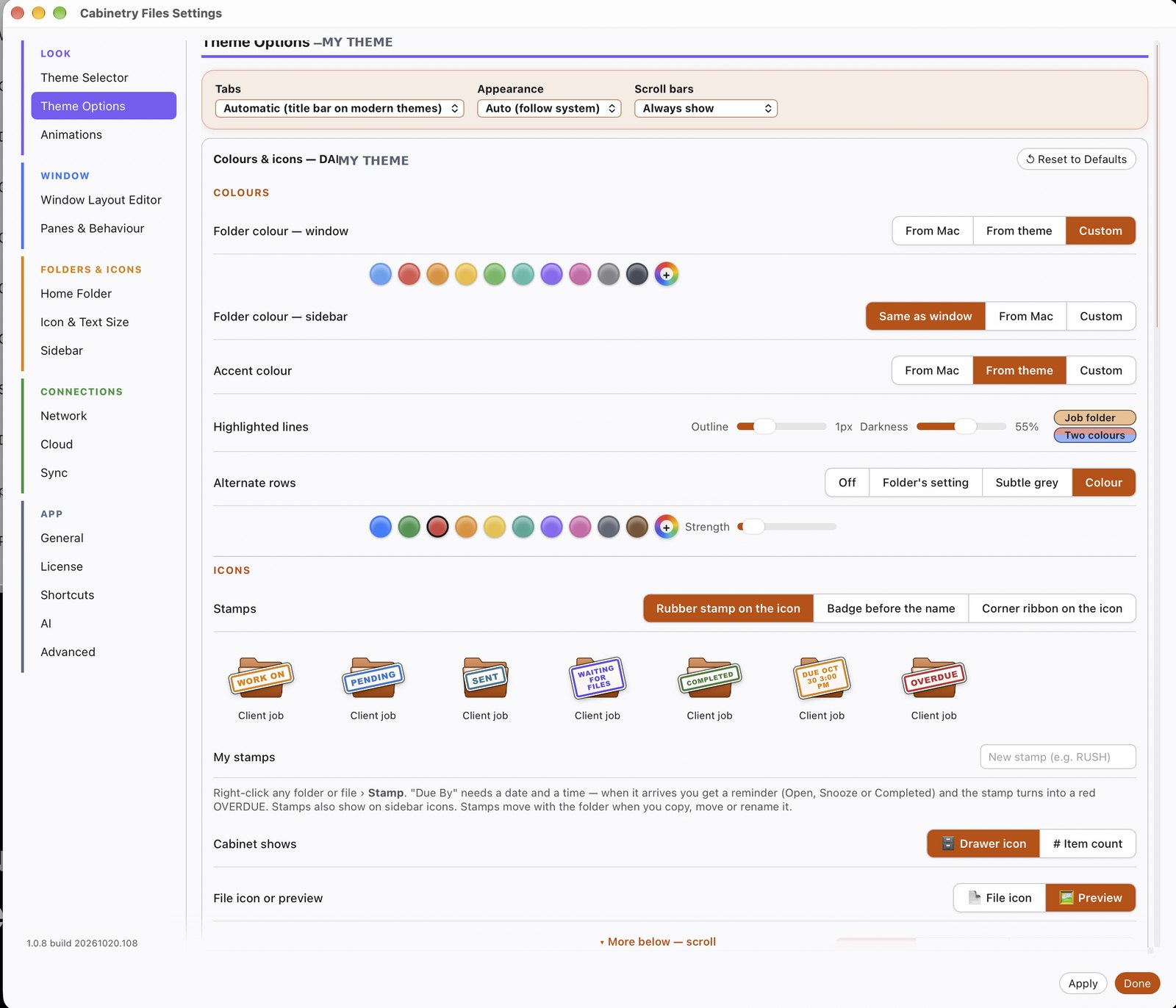
Give each case its own colour so you spot it at a glance, then stamp folders like a rubber stamp — WORK ON, PENDING, SENT, WAITING FOR FILES, COMPLETED, or OVERDUE. Set a "Due By" stamp with a date and time and Cabinetry reminds you when it's due — then turns the stamp red if it slips. Stamps move with the folder when you copy, move, or rename it, and show right on the sidebar icons. It turns a plain file list into a quiet to-do board for your work.

Cabinetry Files Theme Options — folder colours, accent, alternate rows, and folder stamps like WORK ON, PENDING, SENT, DUE BY and OVERDUE

Theme Options — folder colours, accent, alternate rows, and folder stamps (WORK ON · PENDING · SENT · WAITING · COMPLETED · DUE BY · OVERDUE) that move with the folder.

From old-school to brand-new — identical on every OS.

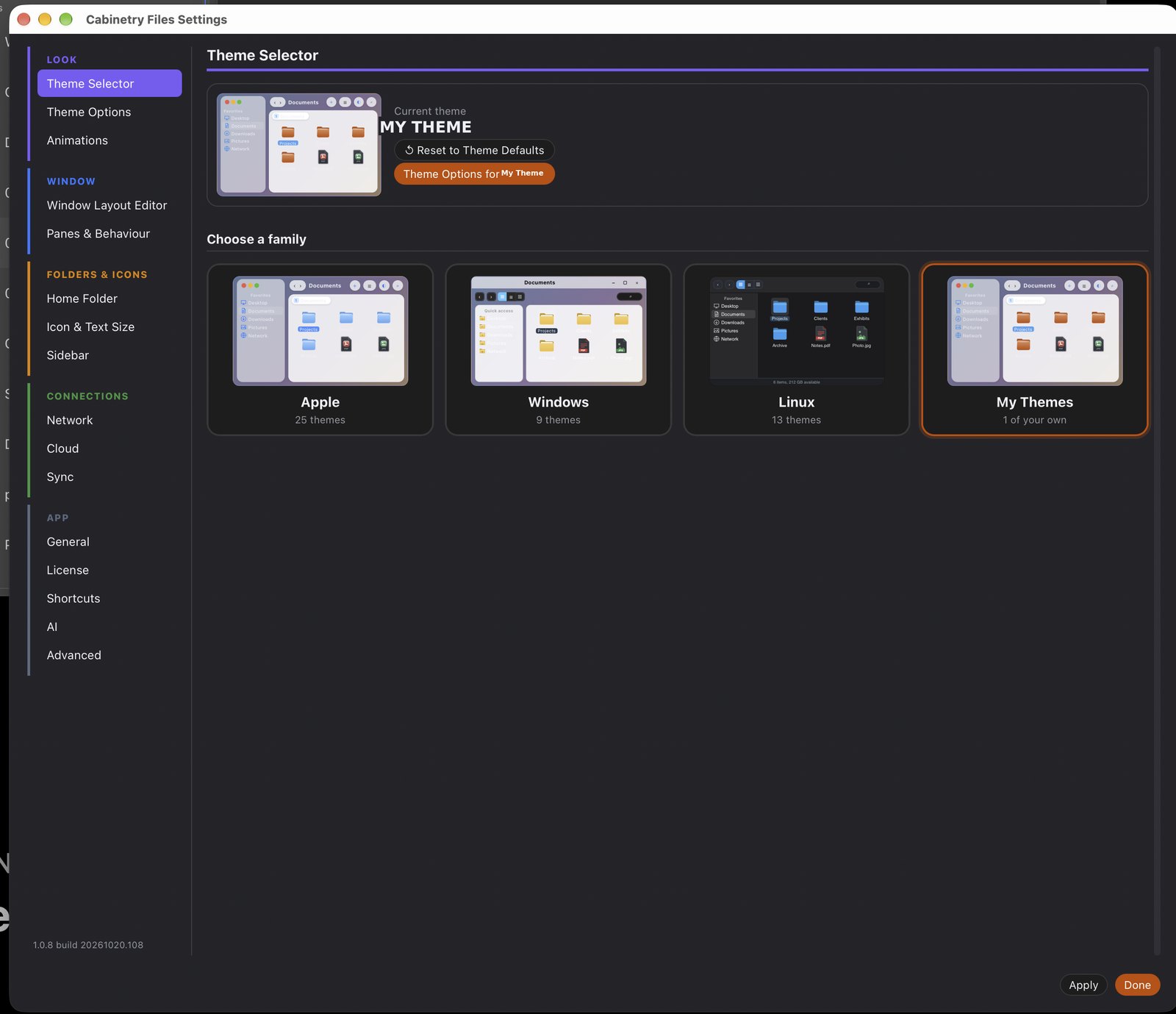
This is what sets Cabinetry Files apart. Most file browsers give you the one look your operating system ships with. Cabinetry gives you 20+ themes — and the one you pick looks exactly the same whether you're on a Mac, a Windows PC, or Linux.

Want the clean modern glass of today? It's there. Miss the look of Windows XP, Vista Aero, Windows 2000, or classic Mac Aqua? Those are faithfully recreated down to the window chrome — and they run on any OS, not just the one they came from. Every theme has light and dark, a per-theme opacity slider, and you can duplicate any classic into your own custom theme.

Cabinetry Files Theme Selector — choose a family: Apple (25 themes), Windows (9), Linux (13), and My Themes

The Theme Selector — pick a family (Apple · Windows · Linux) or your own, with 40+ themes in all, each rendering the same on Mac, Windows, and Linux.

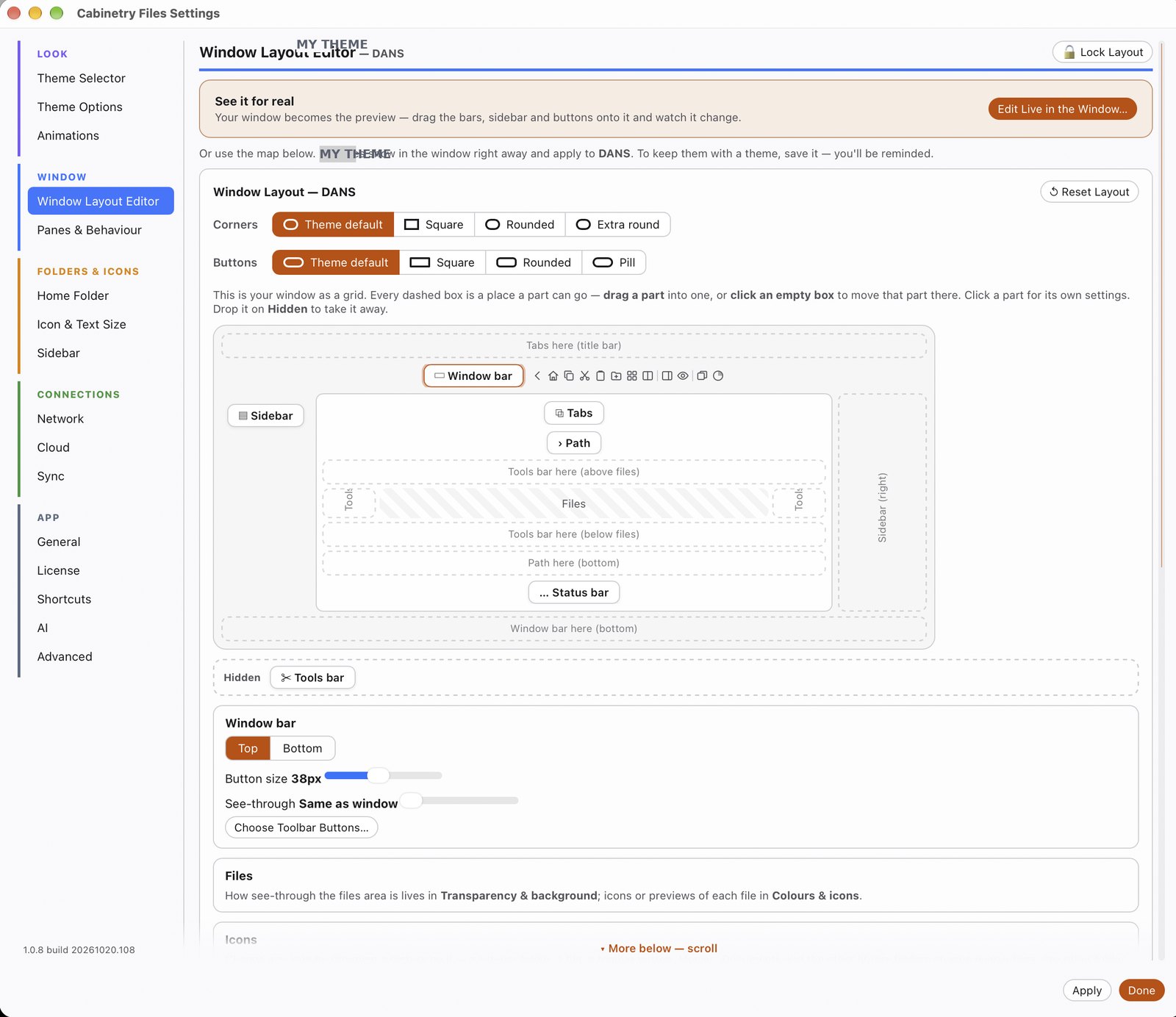
Cabinetry Files Window Layout Editor — drag bars, sidebar and buttons onto a grid to rearrange the window

The Window Layout Editor — drag the toolbar, sidebar, tabs and status bar anywhere, or hide them. Your window, your layout.

All your clouds, right in the sidebar.

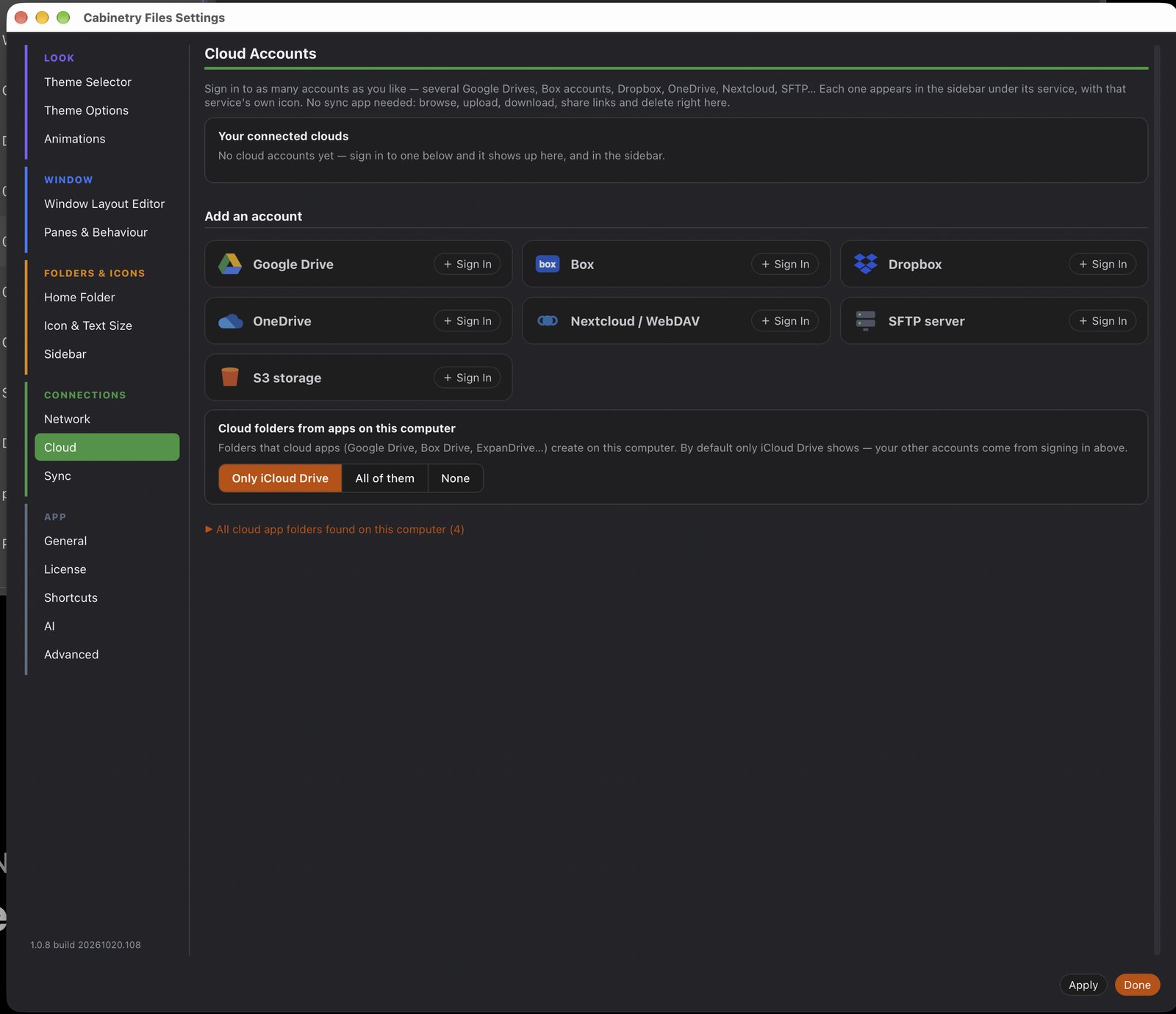
Sign in to as many accounts as you like — several Google Drives, Box, Dropbox, OneDrive, Nextcloud, SFTP, S3 — and each one shows up in the sidebar under its own service. No separate sync app running in the background: browse, upload, download, make share links, and delete right inside Cabinetry. One window for everything on your machine and in the cloud.

Cabinetry Files Cloud Accounts — sign in to Google Drive, Box, Dropbox, OneDrive, Nextcloud, SFTP and S3

Cloud Accounts — connect Google Drive, Box, Dropbox, OneDrive, Nextcloud, SFTP, and S3, no sync app required.

Fast, fluid, and a little bit clever.

⚡

Instant on 10,000+ files

Virtualised lists mean a folder with ten files or ten thousand opens and scrolls instantly — tuned to run fluid on a base M1 Mac or a Core i5 PC.

🎬

Buttery animations

Opening, scrolling, and even switching themes glide — no jarring repaints. Turn them off in Settings if you prefer snappy.

🤖

AI-assisted find & sort

Ask for what you need in plain language — "the exhibits from June" or "every PDF over 10 MB" — and let it suggest tidy names and tags for a messy folder.

👁️

Preview before you open

See PDFs, images, Office docs, and video with full metadata in the preview pane — no need to launch another app.

🗂️

Four power views

Grid, list, columns, and gallery — plus the dedicated Theme view. Switch with a click.

🔒

Private & offline

Runs entirely on your own machine. No account, no cloud requirement, no tracking — your files stay yours.

🤖 About the AI

The optional AI helpers make finding, naming, and tidying files easier — they're there when you want them and never required. Nothing about your files is uploaded unless you turn a cloud feature on yourself.

What $2.99 actually gets you.

🎨

20+ themes, every OS

The same look on Mac, Windows & Linux — modern glass to pixel-faithful classics. Nothing else does this.

⚡

Real speed on huge folders

Exhibit and video folders of 10,000+ files that open instantly — where the built-in browsers crawl.

🗄️

Organisation that sticks

Folder colours, emblems, and tags that carry across every view, so your cabinet stays tidy.

💵

One-time, not monthly

$2.99 once. No subscription, no account, no ads — and a 7-day trial so you try before you buy.

One small price. No subscription.

$2.99 one-time

A 7-day free trial to try everything — then a one-time $2.99 license. No monthly fee, no account, yours to keep.

Simple, private, and done inside the app.

  1. Download & try it free for 7 days. Full features, no account, nothing to enter up front.
  2. When you're ready, request a license in the app. Open Settings → Request License. The app sends your details securely so your license can be tied to your device.
  3. You'll get a payment link by email. Pay the one-time $2.99 whenever it suits you.
  4. Your license arrives by email. Enter it once and Cabinetry Files is fully unlocked — on that machine, for good.

🔑 Moving to a new computer?

Your license is tied to your email, and it's movable — just reach out and it can be re-activated on your new machine. One purchase, follows you.

Try Cabinetry Files free.

Seven days, every feature, every theme — on Mac, Windows, or Linux. Then just $2.99 to keep it.