A clean, customizable on-screen date/time stamp for deposition recording — captured by your HDMI recorder or screen capture. A modern replacement for the old GeekTool setup. Free for the industry.
Free · No subscription · No account · Works offline · macOS (Apple Silicon) & Windows 10/11 (64-bit) · Signed & notarized.
DepoStamp draws a crisp date/time overlay you position on the screen you feed to your recorder — with a black background bar and text outline so it stays legible over any background.

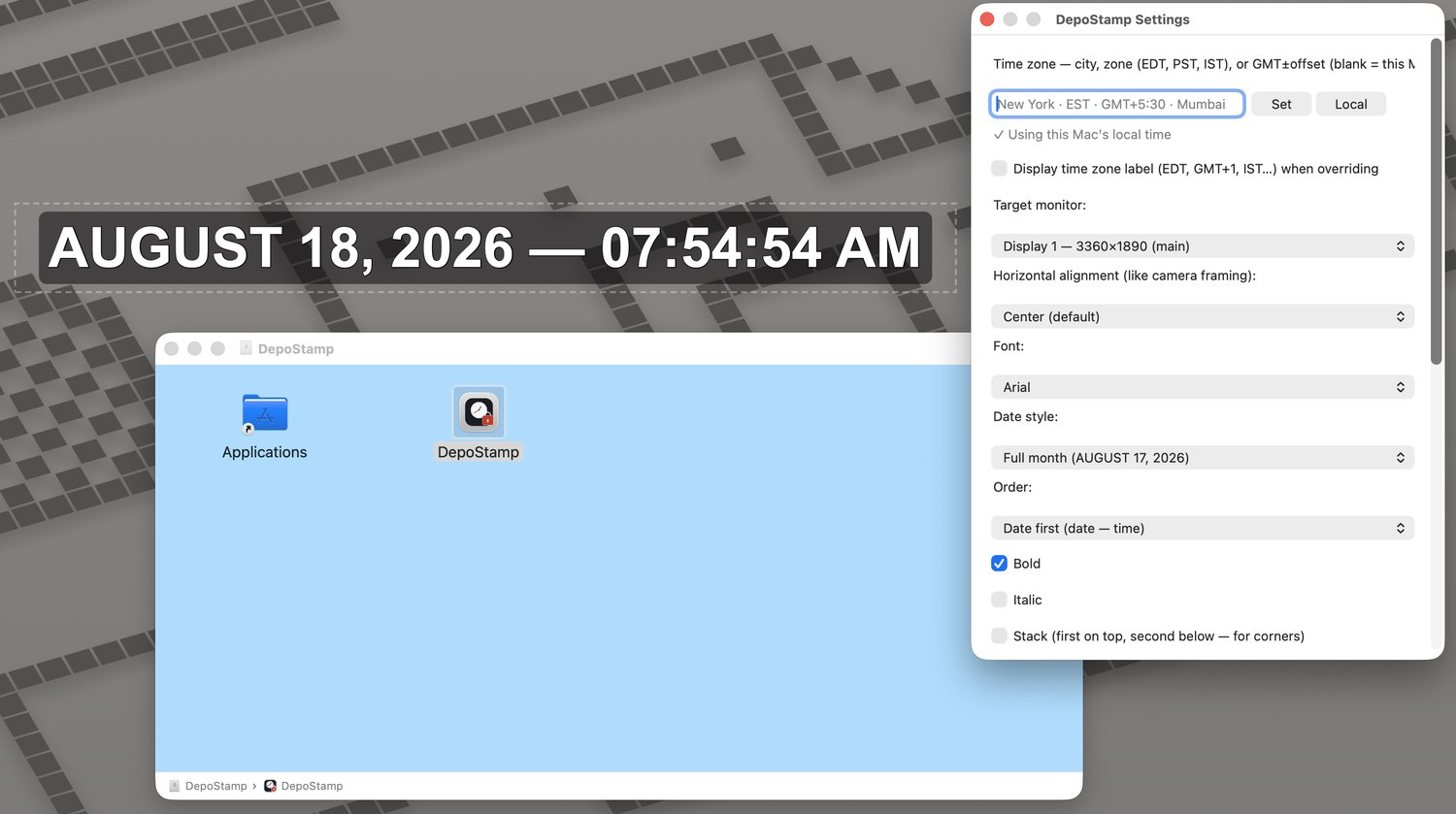
The default stamp: full month, dash separator, 12-hour time with seconds, bold Arial with a black bar and outline.
A timestamp added inside OBS only exists in the OBS video. DepoStamp puts the stamp on the actual screen — so it's captured by both an external HDMI/screen recorder and OBS at the same time. One stamp, visible to every capture path, with a true redundant record.
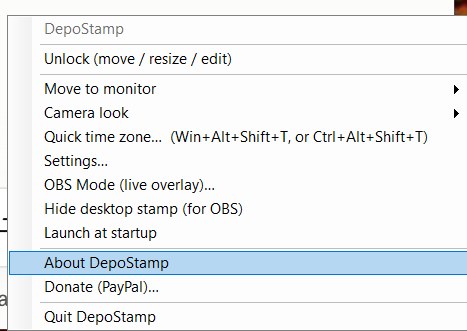
Right-click the stamp (or use the menu-bar/tray icon) to jump to a different time zone in a couple of clicks — handy mid-setup for an out-of-state witness.
Or use the global hotkey from anywhere, even while the stamp is locked: Cmd+Option+Shift+T on Mac, Win+Alt+Shift+T on Windows.
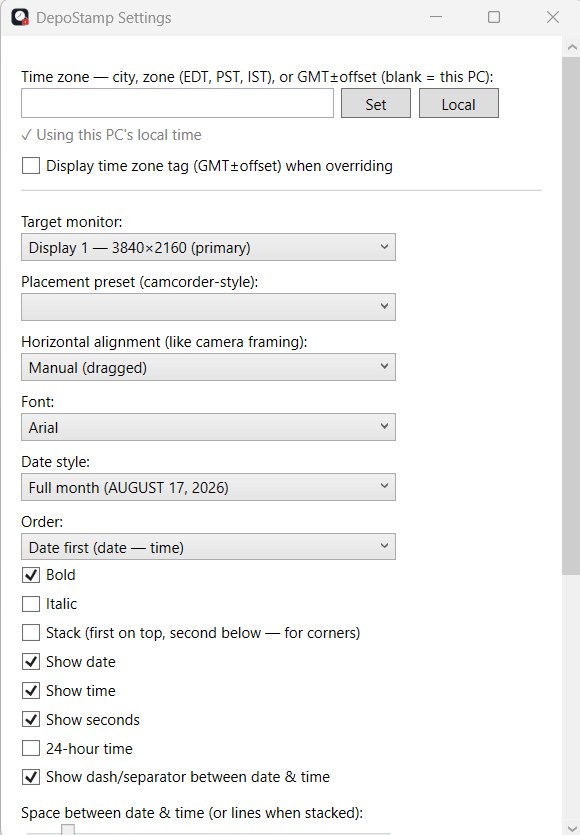
Install by dragging to Applications, then fine-tune everything from the Settings window — time zone, target monitor, alignment, font, and date style.
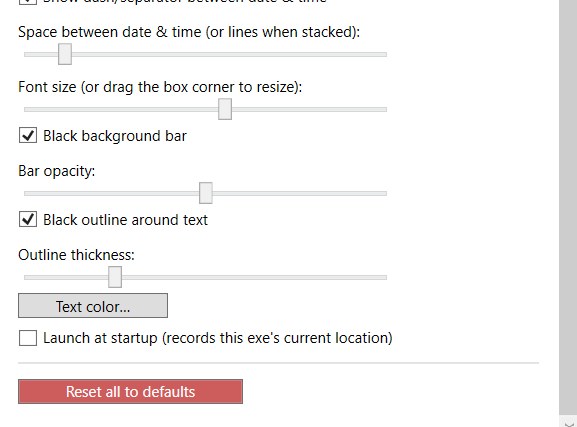
Show or hide date, time, and seconds; switch 12/24-hour; pick date-first or time-first; toggle the dash separator; adjust spacing; set the black bar and its opacity; add a text outline and set its thickness; and choose your alignment — lean left, center, lean right, or manual.

No Dock or taskbar clutter — it runs quietly from the menu bar or system tray.
Lock it in place and your mouse passes right through to the software beneath.
City, zone code, or GMT offset — with an optional zone tag for out-of-state and overseas jobs.
Date format, font, color, size, black bar, outline, alignment, spacing, and stack mode.
Drag a corner or edge to resize; the font scales with the box. Position is remembered.
Optionally auto-start with your Mac or PC so it's ready before you are.
Apple Silicon, macOS 12 or later. Signed and notarized (Apple Developer ID) — open the DMG and drag DepoStamp to Applications. No security warnings.
64-bit Windows 10/11. Code-signed installer (Certum) that opens without security warnings. Set it up once and you're ready to record.
No subscription, no account, no ads — just a clean stamp that every recorder can see. macOS and Windows.
DepoStamp is free. If it saves you time, there's an optional Donate (PayPal) option built into the app — paypal.me/danielholmstock. Never required.