Exhibit presentation for depositions and trial. Call up and mark exhibits over Zoom, run a counsel table and presentation screen, build storyboards for openings and closings, review designations, and sync transcripts to video — all in one clean workspace built for legal video and trial techs.
In beta now for Mac & Windows · Requires a Full HD (1920×1080) display · Email to request access.
Start a deposition or a full trial/arbitration case, pull your files and exhibits into the case, and present them to a separate screen with live marking. Same tools whether you're a newcomer or a 30-year trial tech — no beginner/advanced split.
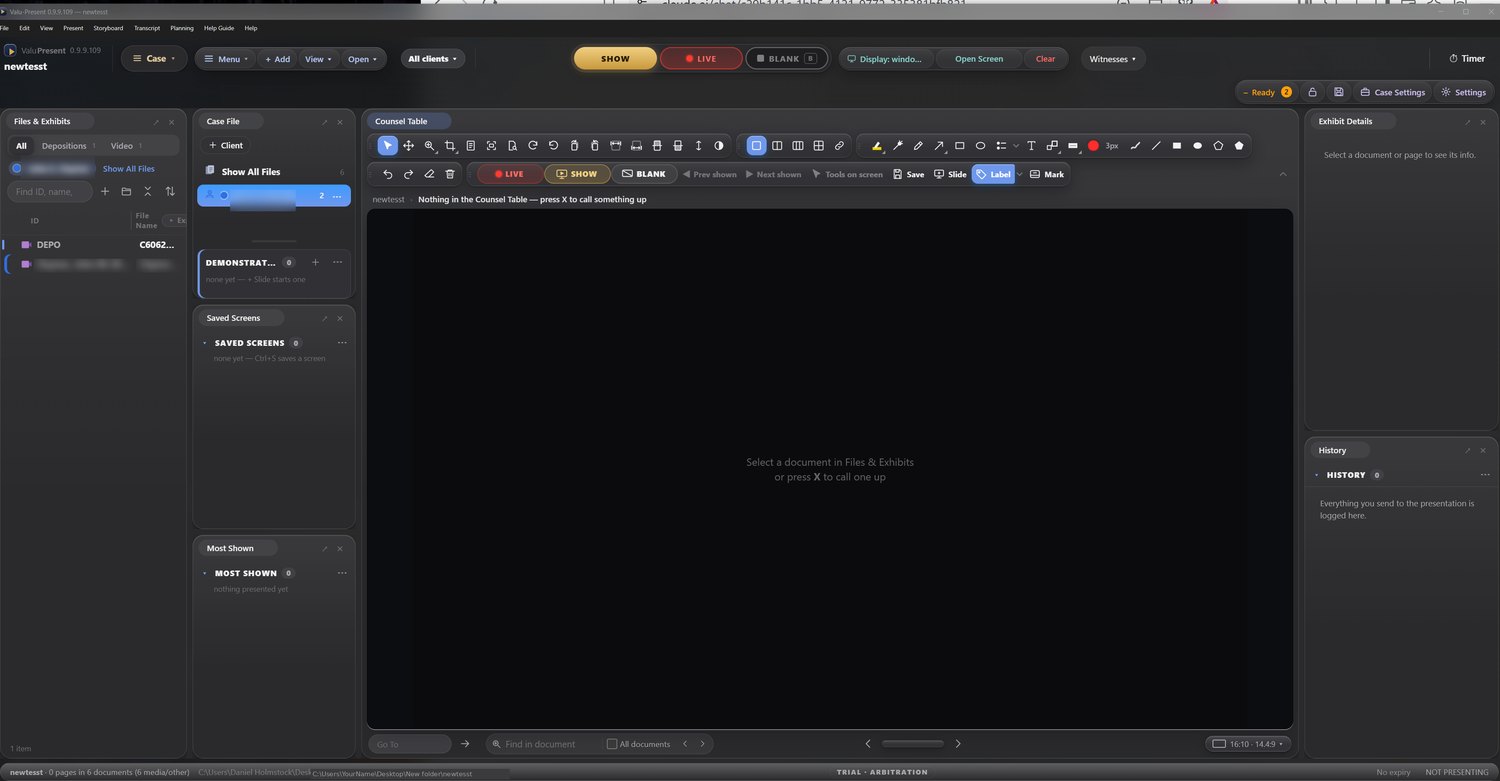
The trial workspace — files & exhibits, counsel table, presentation screen with markup, and a full tool strip.
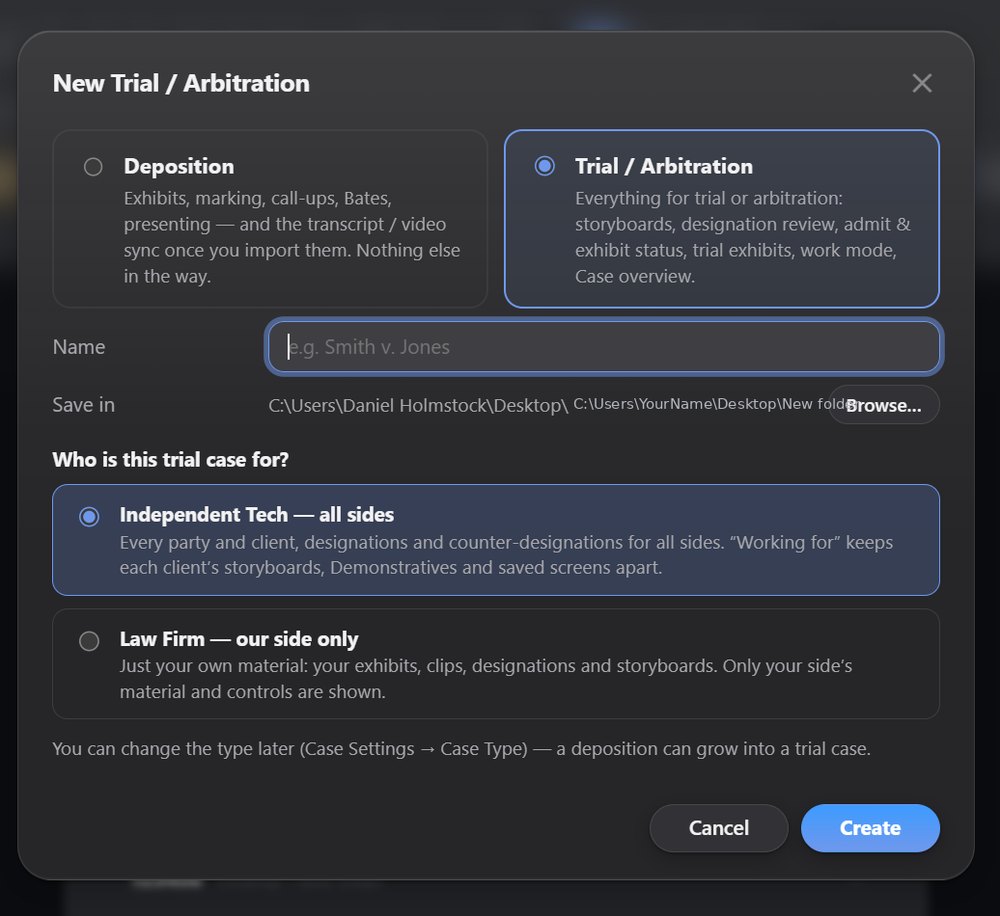
Everything for the deposition side: exhibits, marking, call-ups, Bates, and presenting — plus transcript/video sync once you import them. Nothing else in the way.
Everything for trial or arbitration: storyboards, designation review, admit & exhibit status, trial exhibits, work mode, and a case overview.
Starting a case — pick Deposition or Trial/Arbitration, and choose your work mode. A deposition can grow into a trial case later.
Just your own material: your exhibits, clips, designations and storyboards. Only your side's material and controls are shown.
Every party and client, designations and counter-designations for all sides. "Working for" keeps each client's storyboards, demonstratives and saved screens apart.
Publish to a separate presentation screen and mark up there — with Live/On-Air mirroring and monitor selection.
Dual by default, with optional 3-up and quad layouts, and save screens filed under the page.
Call up by exhibit ID or Bates number; editable page names and Bates in Properties.
Word and PDF display, Excel opens in Excel when called up, and video/audio playback.
Build openings and closings from exhibits, depo clips and slides — presented right from the app.
Regular transcript display plus synced transcript/video, with VALU-SYNC import when already synced.
Burn a sticker into a copy saved to your finals folder, named like "Jones Exhibit 1" — settings per job.
Industry-standard hotkey defaults, fully remappable — Cmd on Mac, Ctrl on Windows, auto-detected.
Another tool in your arsenal — easy for beginners, with full advanced features for seasoned techs.
Import your VALU-SYNC transcript/video syncs directly, or let VALU-PRESENT sync them itself when they aren't already — so your synced testimony is ready to present.
VALU-PRESENT is in active beta on Mac and Windows, and I'm looking for testers. Beta access is free in exchange for your feedback and feature requests.
To request a spot in the beta — or to be notified when the final release is ready — just email me.
✉️ holmstockd@gmail.comEmail to join the beta now, or to hear first when VALU-PRESENT reaches its final release.