Batch exhibit stamping, done in one click. Drop in a whole set of exhibits — PDFs, pictures, Word, Excel — and Valu-Stamp stamps them all, saves fresh copies with clean exhibit names, and never touches your originals. Free, with your own branding.
Free · macOS, Windows & Linux · Works offline · Your originals are never changed.
A quick look at stamping a full batch of exhibits — and how Valu-Stamp handles files that already have a sticker.
Valu-Stamp — batch exhibit stamping overview.
Pick your sticker style, point it at a folder of exhibits, and go. Valu-Stamp works through the batch with a live progress list, places each sticker, and writes out cleanly-named copies — your branding on every one.
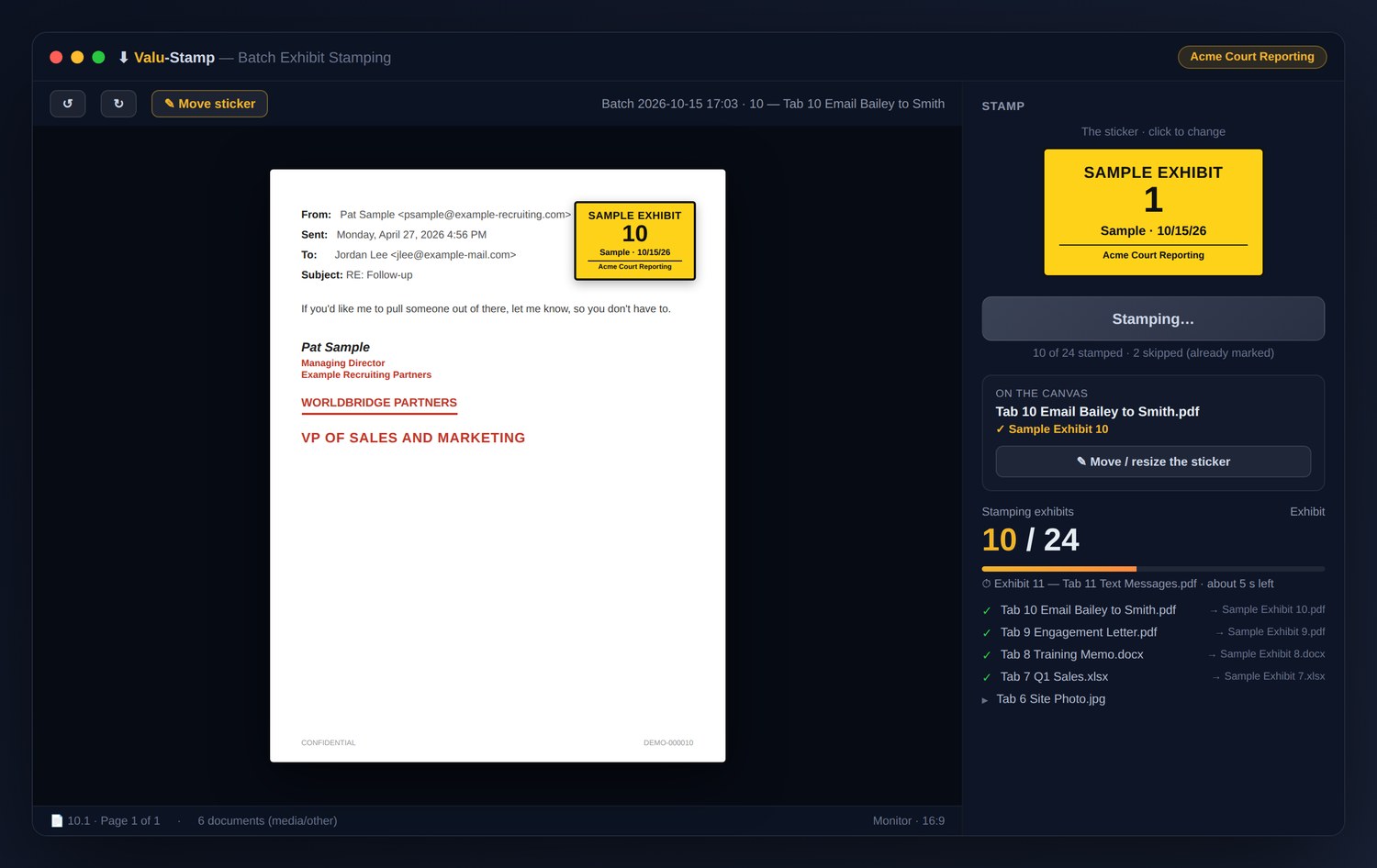
Stamping a batch — document canvas, the sticker panel, and live progress through all 24 exhibits.
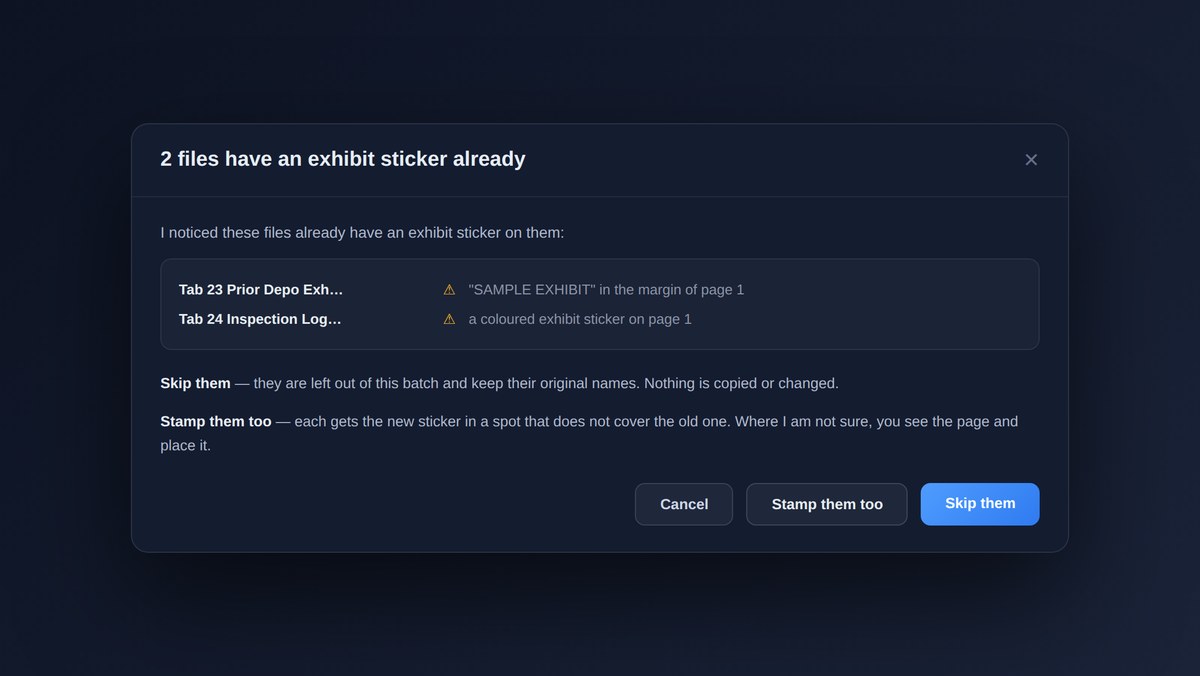
If some files already carry an exhibit sticker, Valu-Stamp spots them and asks what to do — skip them and keep their original names, or stamp beside the old sticker so nothing gets covered.
Valu-Stamp looks at every file before it stamps. When it finds an exhibit sticker already on a page, it stops and shows you exactly which files — so you decide whether to skip them or add the new sticker in a clear spot. Your call, every time.

Stamp an entire set of exhibits at once — not one file at a time.
PDFs, pictures, Word, and Excel — all stamped, all handled.
Valu-Stamp writes fresh, cleanly-named copies and never changes your source files.
Finds files that are already stamped and asks to skip them or stamp beside the old one.
Carry your agency's branding on every sticker — made for court reporting firms.
Follows your computer's light or dark mode automatically.
One tool across all three, built from a single code base.
Free to use, with an optional tip jar if it saves you time.
Free for Mac, Windows, and Linux — your exhibits, your branding, your originals safe.
Valu-Stamp is free. There's an optional tip jar built into the app if you'd like to support development · Daniel Holmstock · 540-718-3545