spam blockers anti spam
← Back to all software
100% Free Windows macOS

Valu-Rec.

A lightweight meeting recorder built for remote depositions. Record your witness, your exhibits, and the finished mix as separate files at once, with the date and time built in and the mouse hidden. It works with Zoom, Teams, Google Meet, Webex, and capture cards.

Free · Windows & Mac · Records to your own computer only · Optional tip jar in the app.

One screen. Everything you need on the record.

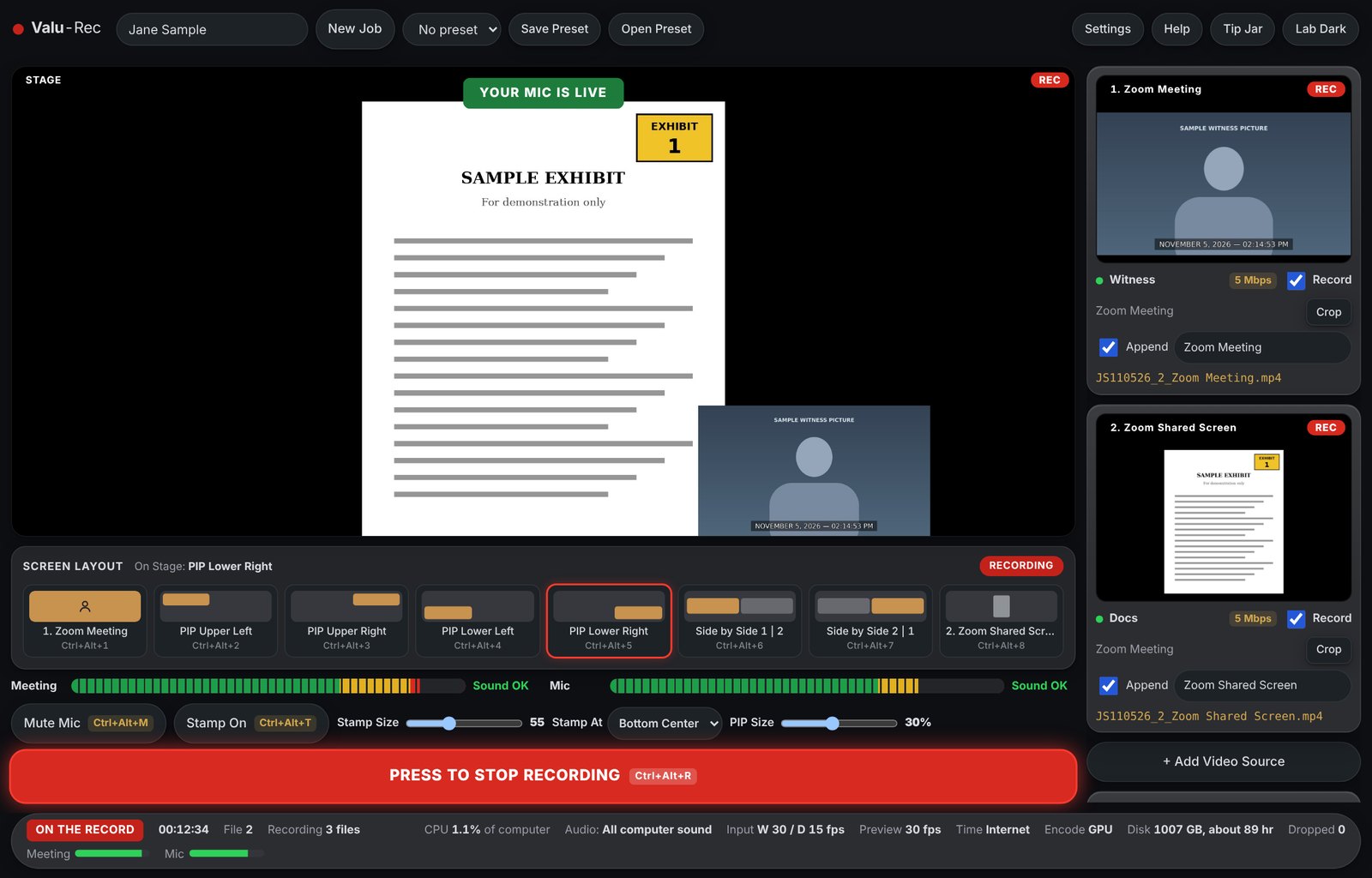
The Stage shows the mix. The right side shows each source with its own Record box and file name. Change the layout with one click or a hotkey while you record.

Valu-Rec recording a sample witness and sample exhibit, with the witness in the lower right corner of the Stage

Recording with sample pictures. Each source writes its own file, and the Stage writes the mix.

Four steps, start to finish.

  1. Type the master name. Valu-Rec makes the job folder and names the files for you.
  2. Choose your sources. Click a preview and pick a meeting app, display, window, capture card, or webcam.
  3. Choose your audio. Pick all computer sound, one app, or a device such as Loopback, plus your mic.
  4. Press to record. The big button turns from green to red. Press it again to stop. Your on and off times are logged for you.

🧾 Free, with no strings

There's no license, no subscription, and no account. Your recordings stay on your computer. If Valu-Rec saves you on a job, there's an optional Tip Jar button in the app.

Made for the record.

🎞️

Separate files at once

Witness, documents, and the Stage mix each record to their own MP4, with up to 4 sources.

🖱️

Mouse hidden

Keep the mouse out of your window and display recordings.

🕒

Date and time stamp

Choose the size, look, time zone, and position, or drag it anywhere. It can use internet time.

⚡

Uses your graphics card

Records with NVIDIA, AMD, or Intel hardware on Windows, and Apple Silicon on Mac.

🛟

Built to survive a crash

Files are saved in small pieces as you record, so a crash shouldn't cost you the recording.

💾

PARANOID mode

Save every file to two drives at the same time.

🔌

Capture cards

Use USB HDMI capture cards and webcams as sources, along with any window.

⌨️

Hotkeys

Global keys for layouts, record, mic mute, and the stamp, ready for Stream Deck or any controller.

Picture in picture, side by side, or full screen.

Source 1 is the corner window. Source 2 fills the Stage behind it, or tick Use as Stage background on Source 3 or 4 to swap it in, even while recording.

Valu-Rec Screen Layout buttons

Double-click the time to change it.

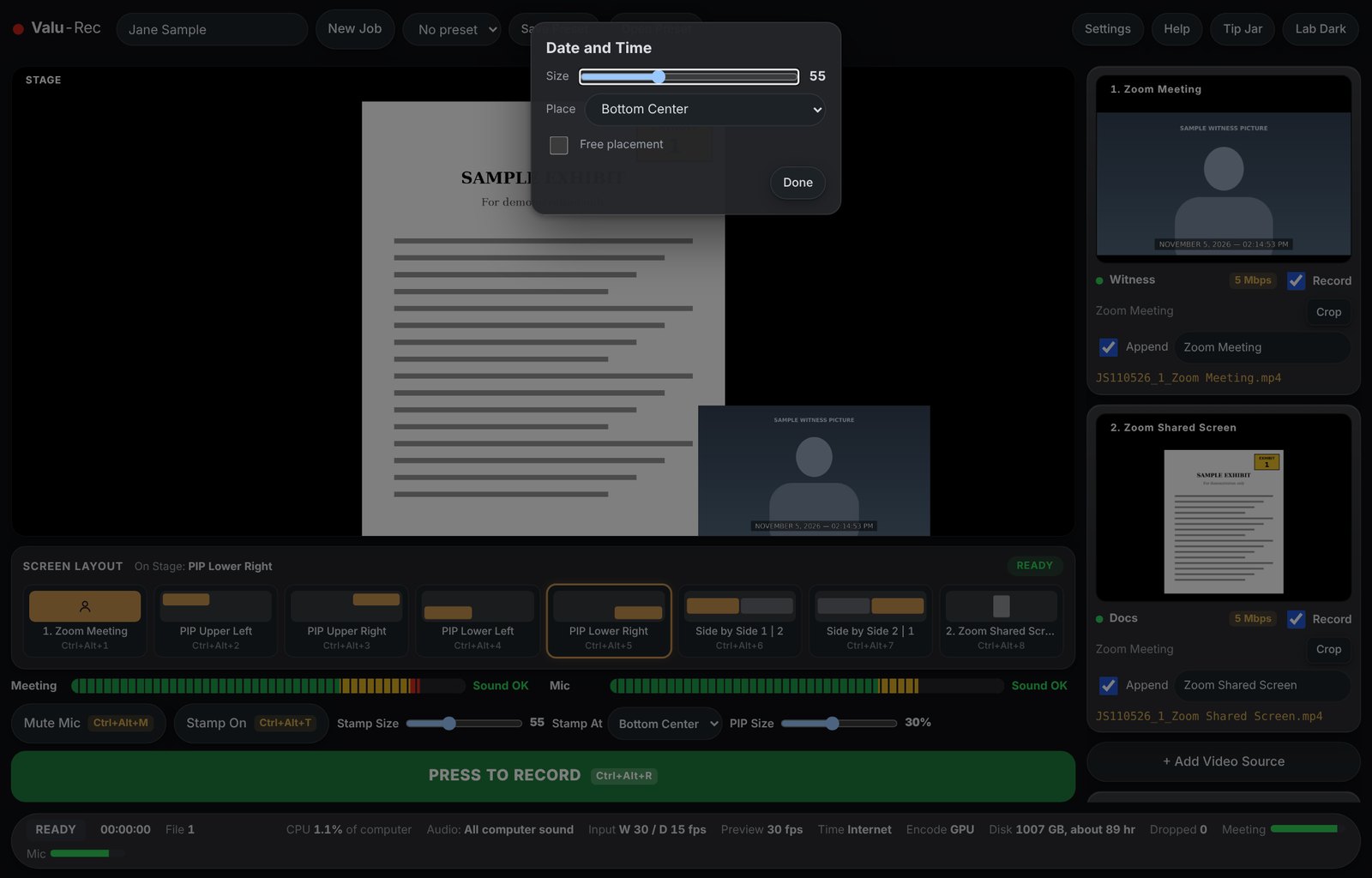
Double-click the stamp on the Stage to resize it, pick a corner, or turn on free placement and drag it where you want it.

Valu-Rec Date and Time box with size, place, and free placement

What you need.

Windows

64-bit Windows 10 version 2004 or newer, or Windows 11. A graphics card with a hardware encoder is recommended. Recording one app's sound needs a recent Windows version.

Mac

Apple Silicon with macOS 13 or newer. Allow Screen Recording and Microphone when asked, and Camera for capture cards.

Your responsibility

Follow the recording and consent rules that apply to your job. Do a short test recording before you rely on a new setup.

Your next remote depo, recorded your way.

Free for Windows and Mac. Read the manual for step-by-step how-tos.